Quick, tiny-screen GIF captures for fast desktop demos
LICEcap, from Cockos Incorporated, is a lightweight screen capture tool for producing short animated recordings of your desktop. You select a portion of the screen and capture activity without a separate editor, keeping the process immediate and direct. The app centers on a minimal, always-on-top capture window and a no-configuration workflow that surfaces basic annotation and pause controls. It suits anyone who needs rapid visual demonstrations and simple how-to snippets with minimal setup.

Unlock your creativity with Adobe Stock
Get 10 images or 1 video with a free trial
What practical problems does LICEcap solve for creators?
LICEcap turns short, focused demonstrations into shareable visuals quickly. You can capture a single interaction or a multi-step UI sequence and produce an animation suitable for documentation or bug reports. The tool’s frame-only interface stays above other windows, so you position it over the target area and record without rearranging your workspace. Its small installer and instant export remove typical editing overhead, which helps you produce examples faster than opening a full editor.
Which output formats and platforms does it handle?
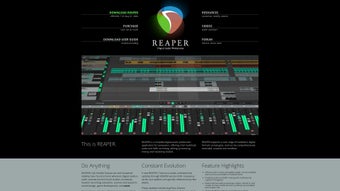
The app records to animated output and a native lossless container. It saves directly to animated GIF and a lossless LCF (LICEcap Capture Format); LCF offers higher quality and can be played inside REAPER or converted to other formats. LICEcap runs on Windows and macOS natively, and it can be executed on Linux through WINE, so you can share the same capture files across different desktop environments.
Is the workflow approachable for newcomers or oriented toward specialists?
LICEcap favors a low-friction, single-purpose workflow that new users adopt quickly. The interface requires almost no onboarding: you drag a transparent frame, hit record, and stop when done. Controls include pause/restart, inserting brief text during pauses, and a global hotkey for quick pause toggling. That simplicity benefits technical writers, testers, and educators who need immediate results rather than deeper post-production capabilities.
How does it perform and what output quality should you expect?
Performance is predictable and adjustable to match your hardware. You can set a maximum recording framerate to trade off smoothness against CPU load, and optional overlays like mouse-click highlighting and a running elapsed timer improve clarity for viewers. The lossless capture option preserves detail better than standard animation exports, and because captures are produced directly, you avoid an extra conversion step before sharing the file.
LICEcap is a practical gateway tool for fast visual documentation
You should reach for LICEcap when you need immediate, low-overhead animated demonstrations produced with minimal steps. Its single-purpose design and open-source GPL status make it a reliable entry point for creators who prioritize speed and transparency. Those who require integrated audio capture or layered editing belong to a different workflow, but for quick desktop snippets, the app is a sensible choice.

.png)